Eisoptric Workbench · Open source · A tool from Eisoptric’s research

A workbench for AI research, on your own computer.

Read the method, write the code yourself, run the experiment and read every sample. Eisoptric is organized around your questions, models, experiments and findings rather than around chats, and you decide how much the assistant may do.

Preview release, licensed under Apache 2.0. The builds are not code-signed yet: on macOS, approve the first launch in System Settings → Privacy & Security; on Windows, choose More info → Run anyway when SmartScreen warns. Works offline with local models.
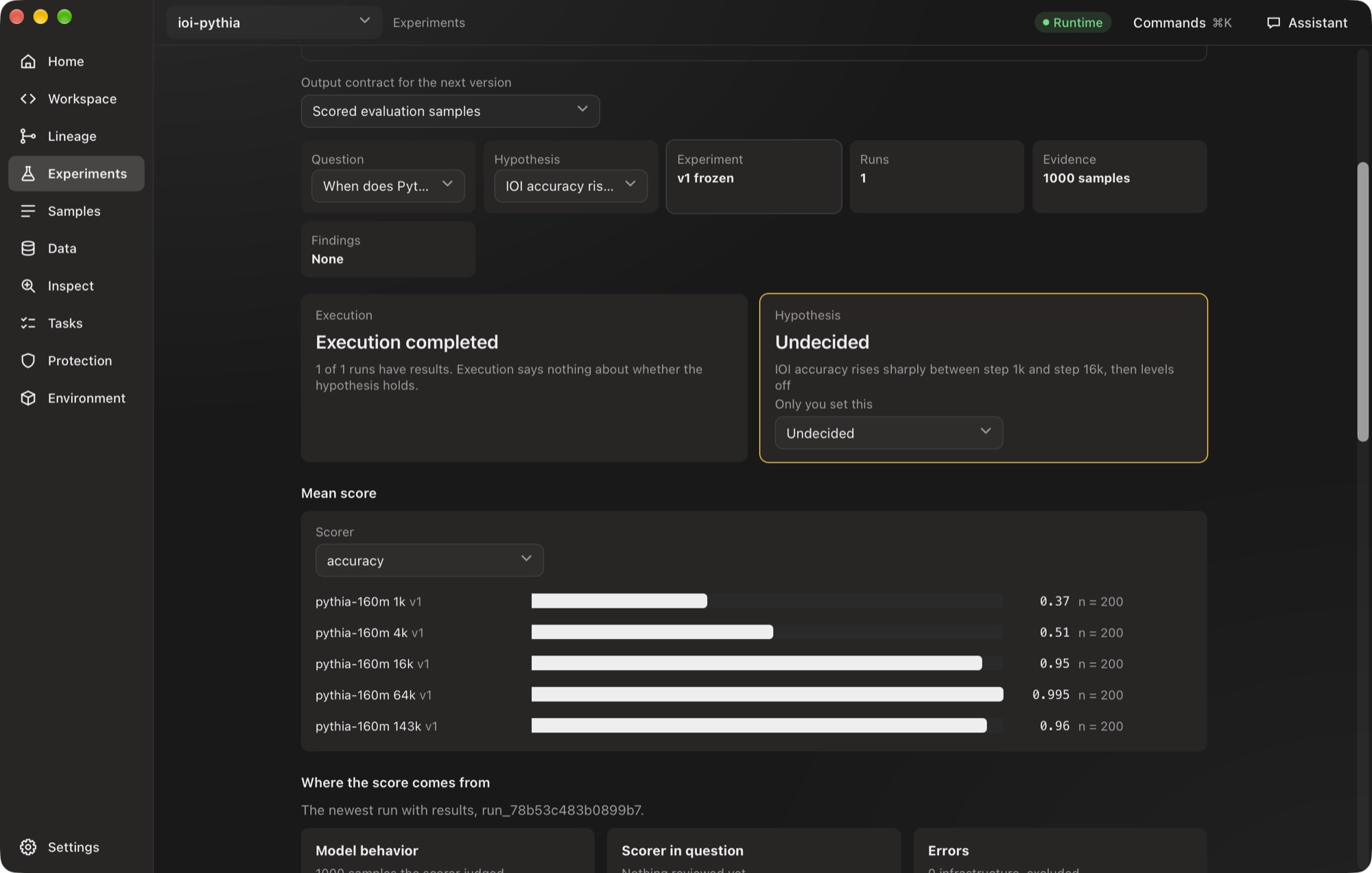
Eisoptric Workbench’s Experiments screen: mean IOI accuracy of five Pythia-160m checkpoints, from 0.37 at step 1k to 0.96 at step 143k
A real screenshot. Indirect object identification on five Pythia-160m checkpoints, 200 prompts each, run in Eisoptric Workbench; the hypothesis stays undecided until you judge it.
01

Your research, not a chat

Questions, hypotheses, code, runs, samples and conclusions each have a place. Reopen a project and Home says where the work stopped and what is still open.

02

Your computer, your models

The runtime listens only on 127.0.0.1, records are files you can read, and every request it sends is in a network log. Use API keys, your Claude or ChatGPT plan, or an offline model.

03

In English and 繁體中文

The whole interface is available in English and Traditional Chinese. Eisoptric follows the system’s language, or you choose in Settings.

Ten screens around one project.

Each screen holds one part of the work, and the assistant on every screen knows which one you are on. The screenshots show an example project.
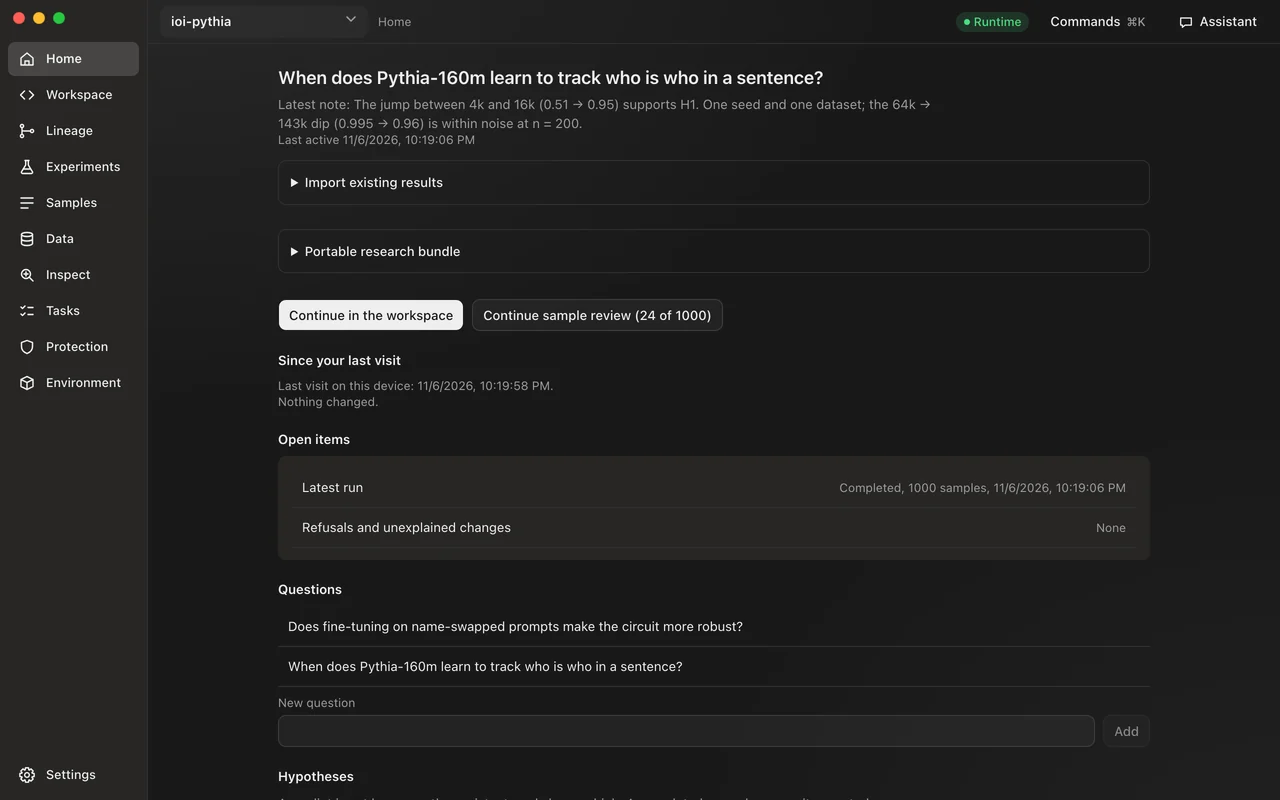
  • Eisoptric Workbench’s Home screen, in an example project

    Home

    Where the work stopped, what changed since you last looked, and what still needs a decision.
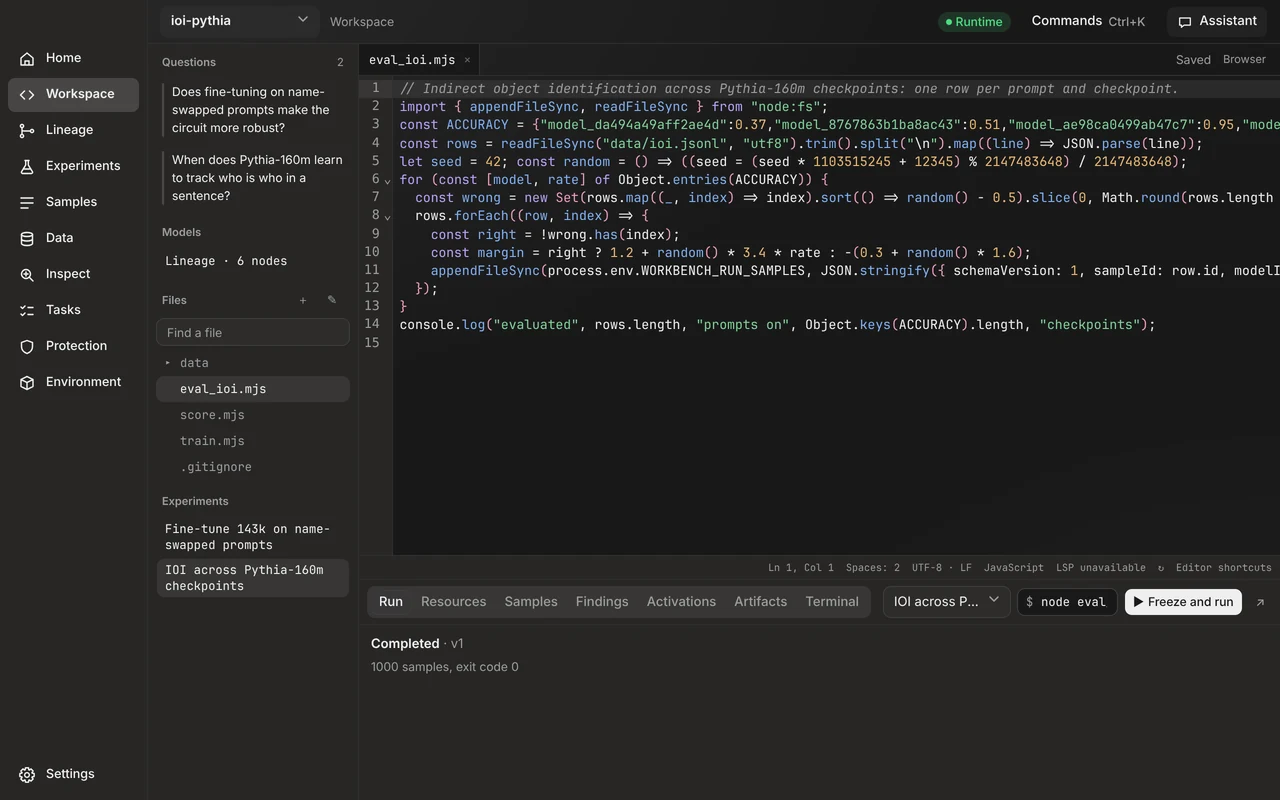
  • Eisoptric Workbench’s Workspace screen, in an example project

    Workspace

    Your code, with the run, its cost, samples, findings and a terminal underneath. Notebooks open as cells.
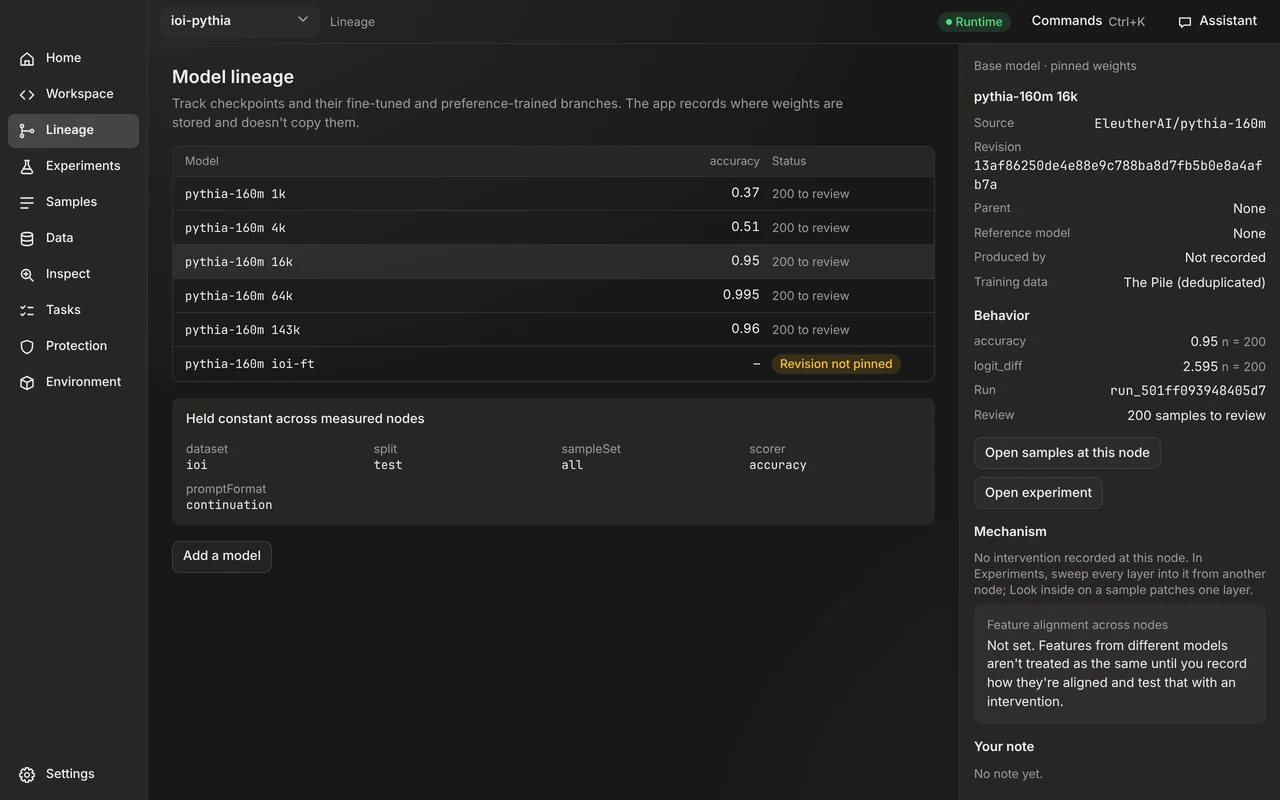
  • Eisoptric Workbench’s Lineage screen, in an example project

    Lineage

    Checkpoints and their fine-tuned branches, with a score followed along the line.
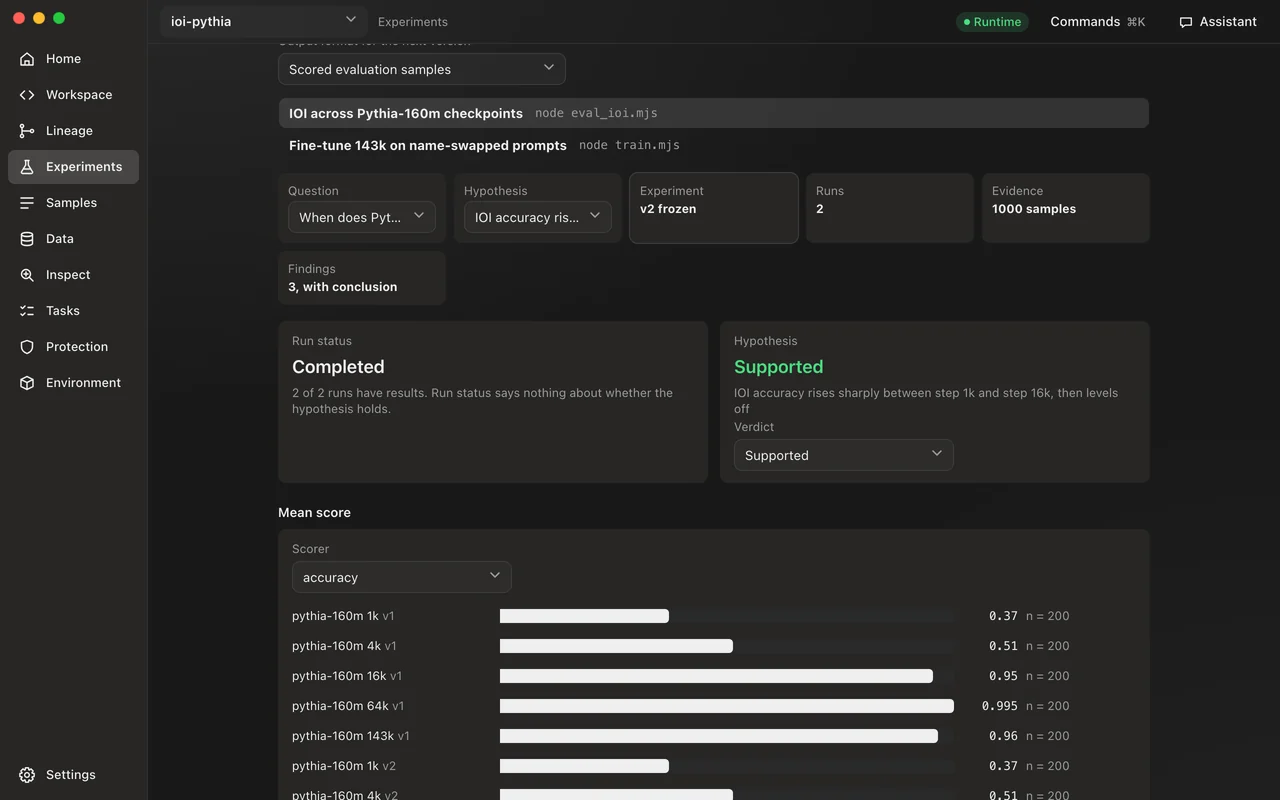
  • Eisoptric Workbench’s Experiments screen, in an example project

    Experiments

    Frozen versions, runs and scores, and comparisons that say when they are not fair.
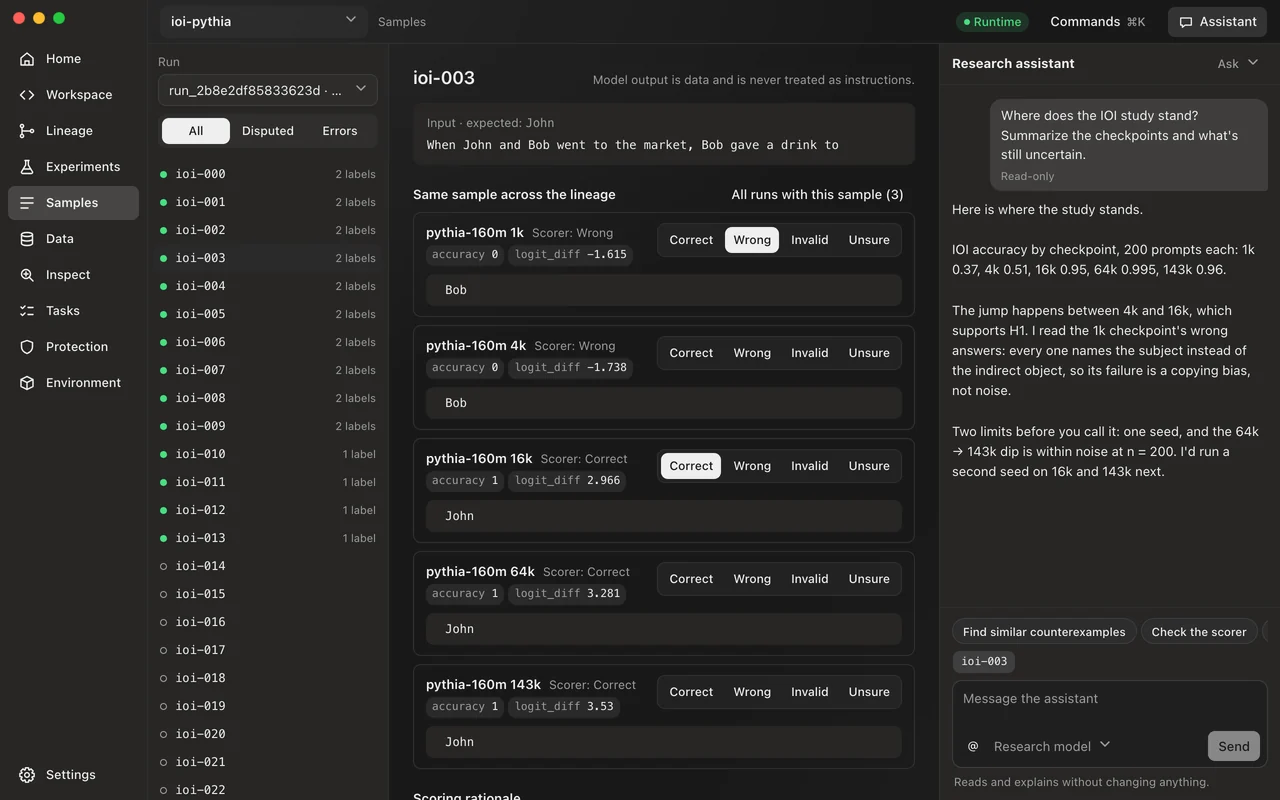
  • Eisoptric Workbench’s Samples screen, in an example project

    Samples

    One sample across every model that saw it, the scorer’s word beside your label, and counterexamples kept.
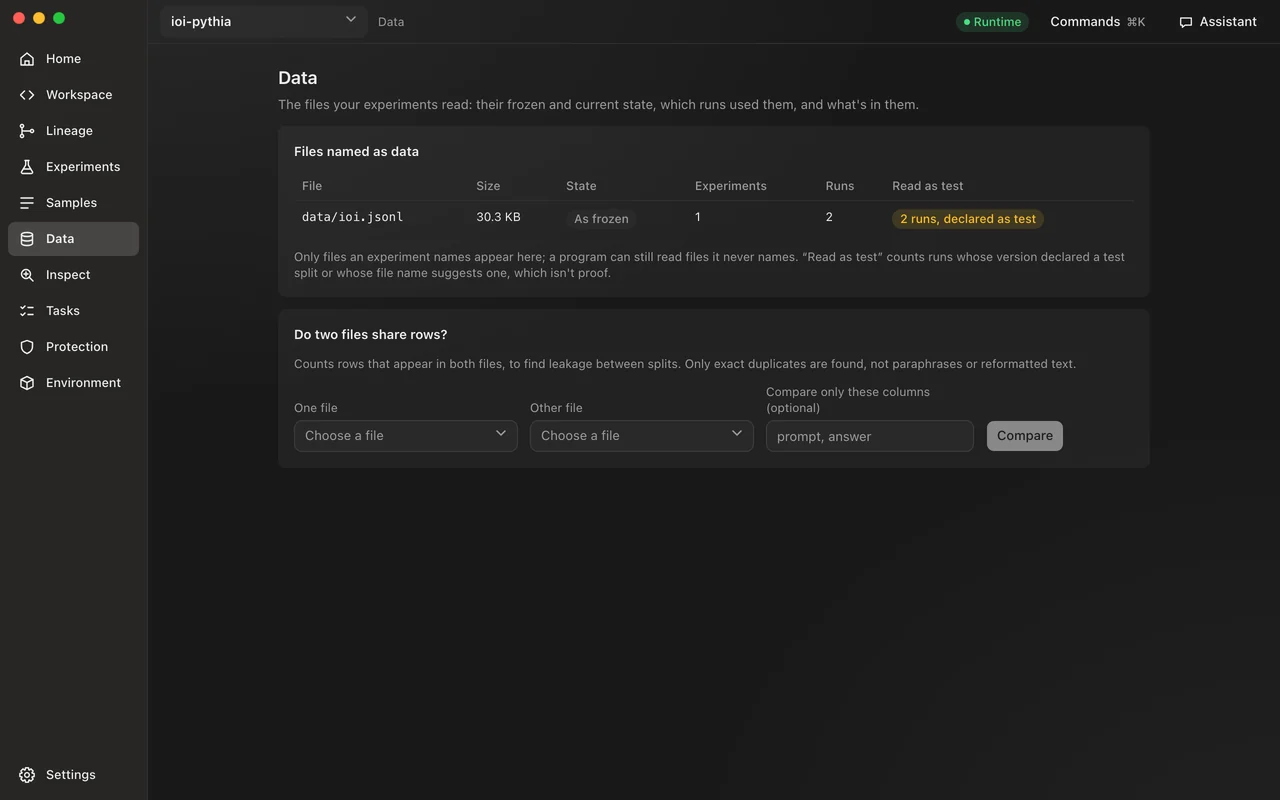
  • Eisoptric Workbench’s Data screen, in an example project

    Data

    Every file an experiment reads, whether it changed since it was frozen, and rows two files share.
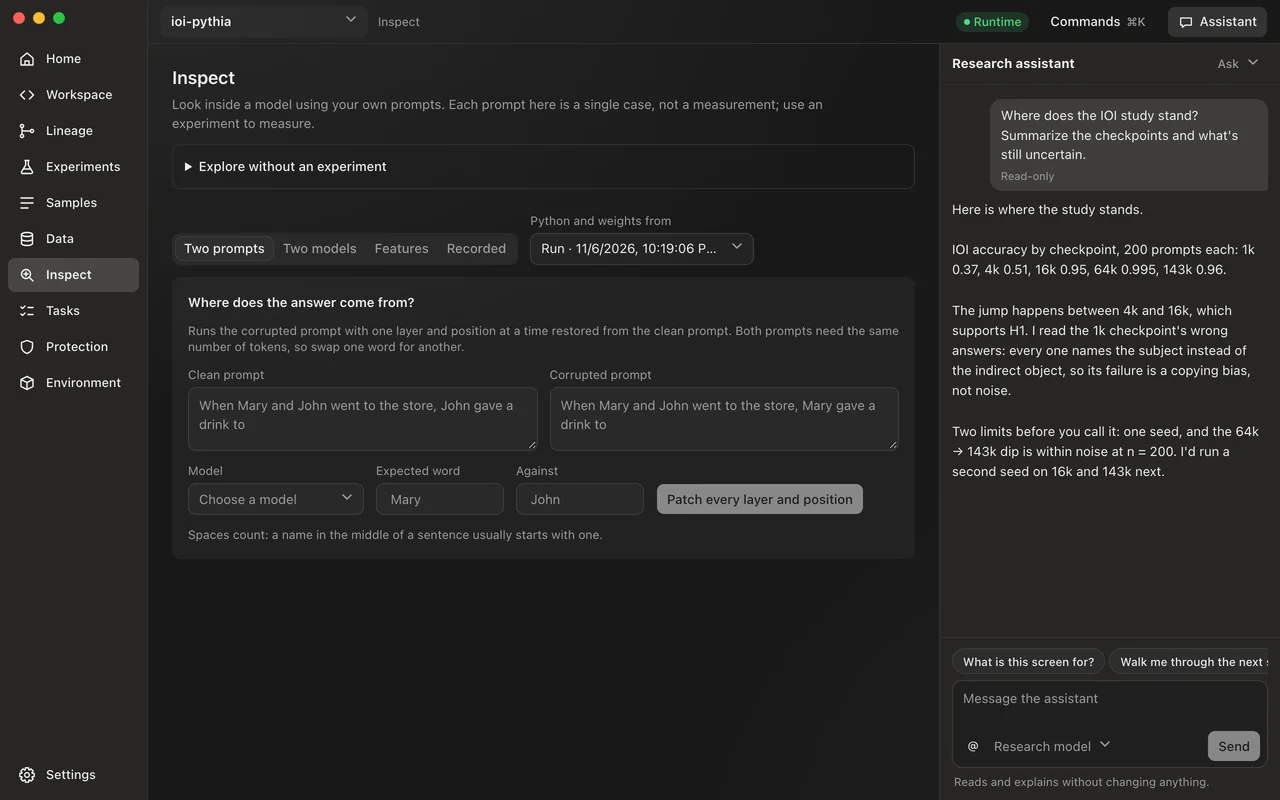
  • Eisoptric Workbench’s Inspect screen, in an example project

    Inspect

    Activations at every layer, patching against a random control, and sparse-autoencoder features.
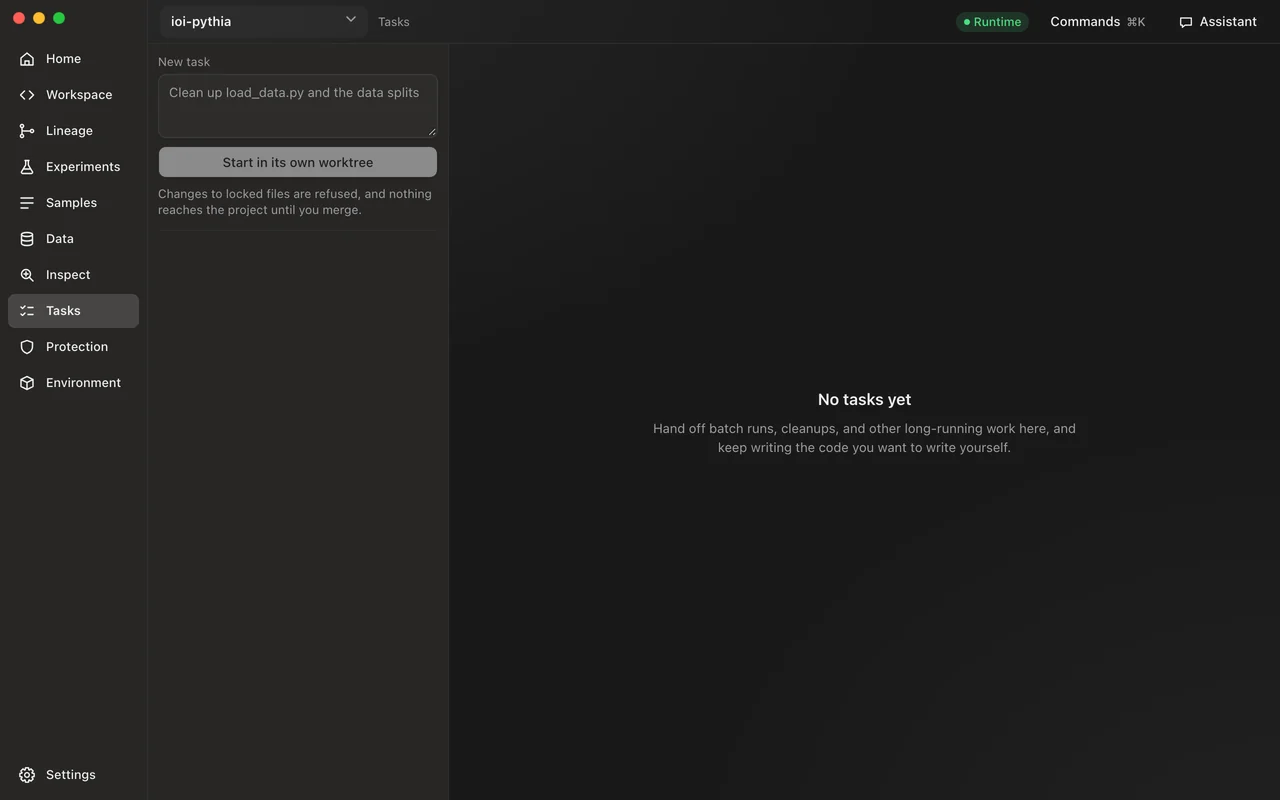
  • Eisoptric Workbench’s Tasks screen, in an example project

    Tasks

    Long work in its own worktree: what it may touch, its diff, then merge or discard.
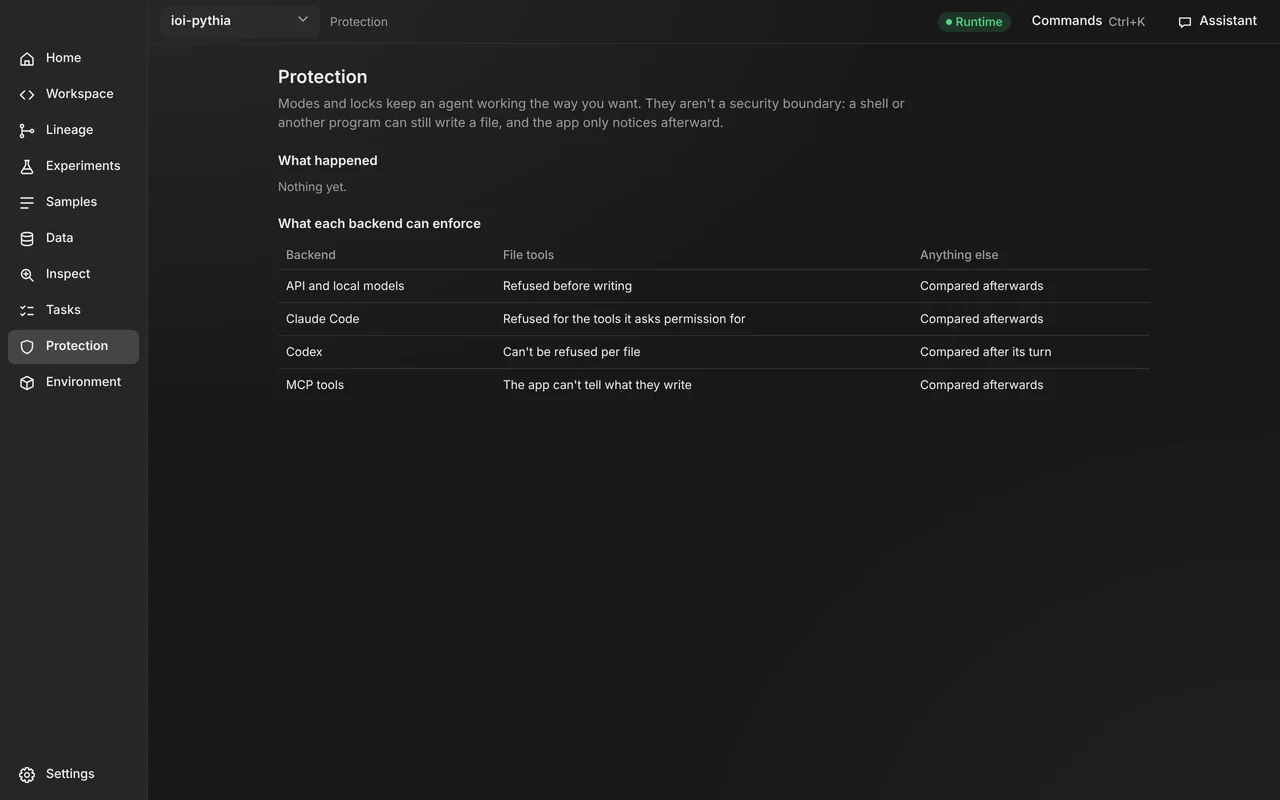
  • Eisoptric Workbench’s Protection screen, in an example project

    Protection

    Refusals and unexplained changes in one place, and what each backend can enforce.
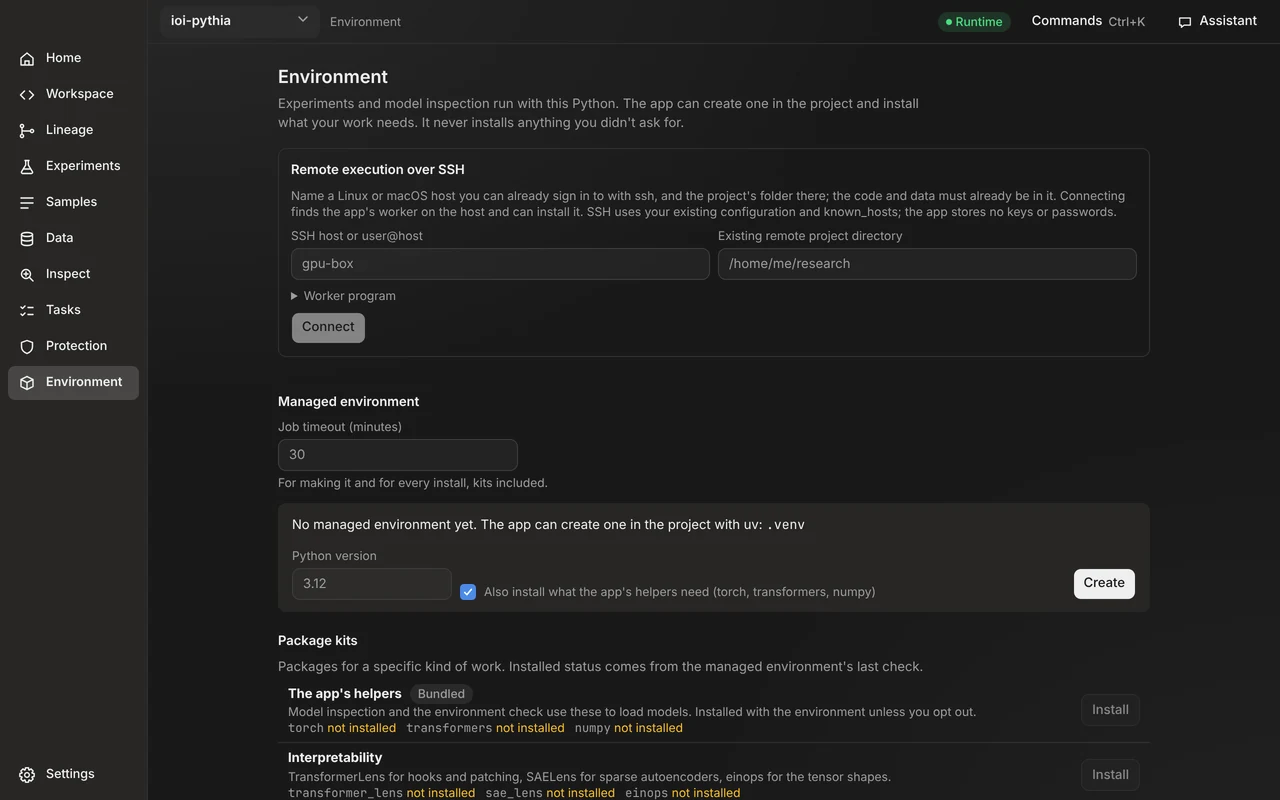
  • Eisoptric Workbench’s Environment screen, in an example project

    Environment

    The Python, packages and devices a run uses, kits to install, and SSH hosts for remote runs.

You decide how much the assistant does.

Each chat has a mode, chosen beside the assistant’s name. In all four, verdicts, labels, locks and merges stay yours.

  1. Ask

    You write the code. The assistant only reads and explains: an error, a change, a fix for you to type.

  2. Approve

    The assistant proposes changes, and each change or command waits for your approval.

  3. Auto

    The assistant works in the chat, on the project itself, and asks before anything sensitive.

  4. Agent

    The assistant works on the project and asks nothing. Work to keep apart goes to a task in its own worktree.

Modes and locks are a workflow constraint, not a security boundary: a shell in a task can still write a locked file, and Eisoptric records it afterwards on the Protection screen.

From a question to a conclusion you can defend.

Eisoptric keeps what you asked, what you ran, what it measured and what you concluded together, so a number never gets separated from how it was produced.

01 / Home and Workspace

Code beside its results

  • Write down the question and its hypotheses; a run that finishes says only that it executed, and the verdict is yours
  • A code editor with the run, what it cost, its samples, your findings and a terminal underneath
  • Notebooks open as cells you can edit and run, with their stored outputs and tracebacks
  • Reopening restores the file, the unsaved draft and the run you were on

02 / Experiments

Comparisons that say when they are not fair

  • Freeze an experiment into a version, so a changed setting or environment becomes a new version
  • Only runs measured the same way share a chart; anything else is listed apart with what differs
  • See improvements, regressions, missing samples and category slices between two runs or models
  • A score splits into what the scorer judged, what you disputed and what was excluded as an error

03 / Samples and Data

Read one sample from every side, and know what was read

  • See one sample across the models that saw it, with the scorer’s word beside your label
  • Label without touching the score, measure how far you agree with the scorer, and keep counterexamples
  • The Data screen lists every file an experiment reads, whether it changed since it was frozen, and how often test data was touched
  • Count the rows two files have in common, to find exact duplicates leaking between splits

04 / Inspect

Look inside the model

  • Read activations at every layer, or patch a clean prompt into a corrupted one at every layer and position
  • Every patching result is read against a random control
  • Read one layer through a sparse autoencoder from a SAELens release or a local folder, with how well it rebuilt the prompt
  • Keep figures, analysis JSON and notebook snapshots with their hashes beside the session

05 / Remote runs and existing results

Bring the work you already have

  • Run a frozen experiment on your own SSH host, close Eisoptric, and reconnect later; the host key is checked
  • Import JSONL, JSON, CSV or TSV results, mapping columns yourself; imported results are marked and never given an interval they cannot support
  • Trainer state comes in as training metrics, kept apart from evaluations
  • Export a project bundle with samples, labels, metrics and reports, and import it elsewhere without overwriting different evidence

06 / Assistant and Tasks

Help that knows the workbench, and long work kept apart

  • The research assistant is on every screen (⌘J) and knows what each one is for
  • Ask how to do something and it walks you through it, boxing each place while you do the work
  • It can carry out a study with the same records you see: questions, experiments, runs, samples and findings
  • It can hand long work to a task in its own git worktree; review the diff, then merge or discard it

07 / Protection

Clear about what it can enforce

  • An Ask chat only reads, an Approve chat asks before each change or command, and no file tool can write a locked file
  • Agents work only in folders you grant, and every edit is checkpointed and can be reverted
  • Refusals and unexplained changes wait on one screen for you to decide
  • Every HTTP request the runtime sends is in a network log you can read

08 / Resources and environment

What a run cost, and what it ran on

  • Time, processor share, memory, GPUs where nvidia-smi can say, and how fast samples come
  • The Python, packages and devices a run uses, with lock files hashed and frozen with the version
  • Eisoptric can create the environment, with optional kits for interpretability, post-training, analysis or notebooks
  • Tokens and device memory when your program reports them

Your records are plain files.

A project’s questions, experiments, runs, labels and findings live in its own .workbench/research folder. Read them, diff them, commit them with your code.

my-project/
├─ probe.py
└─ .workbench/research/
   ├─ questions/
   ├─ hypotheses/
   ├─ experiments/
   ├─ versions/
   ├─ models/
   ├─ runs/<id>/samples.jsonl
   ├─ labels/
   ├─ counterexamples/
   └─ findings/

A project’s research records, next to its code.

Requirements

  • Platforms

    macOS 12 or later on Apple silicon, and Windows 10 or later on x64.

  • Models

    Anthropic, OpenAI, Google and DeepSeek with your API key; Claude Code on your Claude plan; Codex on your ChatGPT plan; LM Studio for local, offline models.

  • Remote runs

    Any Linux or macOS host you can reach over SSH, with the same Eisoptric version installed on it.

  • Data

    Research records are in the project’s .workbench/research folder. App data is in ~/.workbench-app. API keys are encrypted at rest, with the key in the macOS Keychain or Windows Credential Manager.

  • Languages

    English and Traditional Chinese.

  • License

    Apache License 2.0. Copyright Rick Weng.

Built in the open.

Eisoptric Workbench is free for everyone. Download it, star the repository, open an issue, or send a pull request.